Direct Answer
A pressure switch can be used for pump dry-run protection by monitoring the suction-side pressure. When inlet pressure drops below the safe set point, the pressure switch sends a signal to the control panel, PLC or relay circuit. The control system then stops the pump or prevents it from starting.
Dry-running protection is one of the most important monitoring functions for water pumps, because bearings and shaft seals may be damaged if booster pumps run dry. Common detection methods include a pressure switch on the suction manifold, an inlet pressure transmitter, or a level transmitter in the supply tank.
Why Dry-run Protection Is Needed
A pump must receive enough liquid at the suction side. If the tank is empty, the inlet valve is closed, the suction pipe leaks air, the foot valve fails, or the strainer is blocked, the pump may run without enough liquid.
Dry running may cause:
- mechanical seal overheating;
- bearing and shaft seal damage;
- pump casing temperature rise;
- impeller wear;
- motor overload;
- no discharge pressure;
- unexpected shutdown and after-sales disputes.
For booster pumps, water supply pumps, circulation pumps and water treatment pump skids, dry-run protection should be automatic, not manual.
How the Pressure Switch Works
The pressure switch is installed on the pump suction line. When suction pressure is normal, the pump is allowed to start or continue running. When suction pressure falls below the set point, the pressure switch changes state and sends an alarm or shutdown signal to the control panel.
| Inlet Condition | Pressure Switch Signal | Control Action |
|---|---|---|
| Normal suction pressure | Run permitted | Pump can start or continue |
| Low suction pressure | Alarm signal | Stop pump or block startup |
| Pressure recovered | Reset signal | Manual or automatic restart |
A suction-side pressure switch can detect problems such as closed foot valves, pinched suction lines and loss of prime. It is usually installed close to the pump for better response.
Installation Position
Recommended positions:
- suction pipe before pump inlet;
- suction manifold;
- after the suction strainer and before the pump;
- booster pump suction header;
- easy-to-maintain location.
Avoid positions:
- air pocket points;
- directly after elbows, valves or reducers;
- high-vibration locations;
- points too far from the pump inlet;
- positions exposed to strong pressure pulsation.
If suction strainer blockage is common, pressure monitoring before and after the strainer can help identify pressure drop and blockage.
Set Point Selection
The set point should be based on the pump’s minimum allowed inlet pressure, tank level, suction height, pipe resistance and actual operating condition.
| Parameter | Recommendation |
|---|---|
| Trip pressure | Higher than the unsafe low suction pressure |
| Reset pressure | Higher than trip pressure |
| Hysteresis | Large enough to avoid frequent cycling |
| Delay time | A few seconds to avoid false trips |
| Reset mode | Manual reset for critical systems; automatic reset for simple systems |
If the set point is too low, the pump may already be running dry before shutdown. If hysteresis is too small, the pump may start and stop frequently.
Recommended Solution
Basic Dry-run Protection
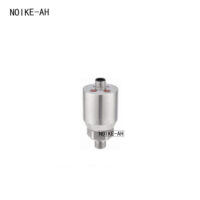
Recommended product: NOIKE-AH NT30B Intelligent Pressure Switch
Install NT30B on the suction side for low inlet pressure alarm and pump shutdown.
Best for:
- booster pump protection
- water supply pump dry-run protection
- low suction pressure alarm
- pump control panel interlock
- MRO replacement
Pressure Switch + Pressure Transmitter
Recommended product: NOIKE-AH NT30B + NT30D Pressure Transmitter
NT30B provides fast shutdown protection. NT30D provides continuous 4–20mA pressure feedback to PLC/VFD/control panel.
Best for:
- constant pressure water supply
- pump automation system
- PLC/VFD pump control
- water treatment pump skid
- industrial pump protection
Pressure Switch + Digital Pressure Gauge
Recommended product: NOIKE-AH NT30B + NT53D Digital Pressure Gauge
NT30B provides dry-run protection. NT53D gives local suction pressure display for maintenance inspection and troubleshooting.
Best for:
- pump room inspection
- maintenance checking
- suction pressure display
- MRO spare parts
- pump troubleshooting
Product Combination
| Application | Recommended Product | Function |
|---|---|---|
| Basic dry-run protection | NT30B Intelligent Pressure Switch | Low inlet pressure alarm and shutdown |
| Control panel integration | NT30B + NT30D | Switch protection + 4–20mA signal |
| Local maintenance | NT30B + NT53D | Automatic protection + local display |
| High-reliability pump set | NT30B + NT30D + NT53D | Protection, trend monitoring and display |
Conclusion
To use a pressure switch for dry-run protection, the key points are:
- Install it on the suction side to monitor pump inlet pressure.
- Set the correct trip point, reset point, hysteresis and delay according to the pump system.
- Connect it to the control panel interlock so the pump can stop or be blocked from starting when inlet pressure is too low.
NOIKE-AH recommends NT30B Intelligent Pressure Switch for low inlet pressure protection. For PLC/VFD pump systems, it can be combined with NT30D Pressure Transmitter. For local maintenance, NT53D Digital Pressure Gauge can be added for suction pressure display.
This solution helps detect water shortage, loss of prime and poor suction conditions earlier, reducing pump damage, mechanical seal failure and after-sales risk.